

Dash Plug solution for Audi A5 Dashboard Reset
We’re adding a program to FORZA 614 that many of you have been waiting years for. This cluster opens a new line for us: the first of modern Bosch-made Audi dashboard in the menu.
You know we don’t make noise or claim we “do everything”. So instead, here’s exactly the cluster we worked on, part numbers and all. Support for this family is still being built, and new versions will be added step by step. Several more of these clusters are already on our bench and will go into FORZA 614 in the coming days.
This one is from the next chapter. It’s the Audi A5 Bosch instrument cluster, the classic two-needle layout with a 7-inch colour TFT between the tachometer and the speedometer. Our unit is part number 8W6 920 771, Bosch 0 263 740 001, made in Hungary.
Below: what’s on the board, where these clusters usually fail, and what you can do with the odometer through the dash plug.
Audi A5 Dashboard Odometer Reset by dash plug with FORZA 614
What’s inside the Audi A5 Bosch dashboard
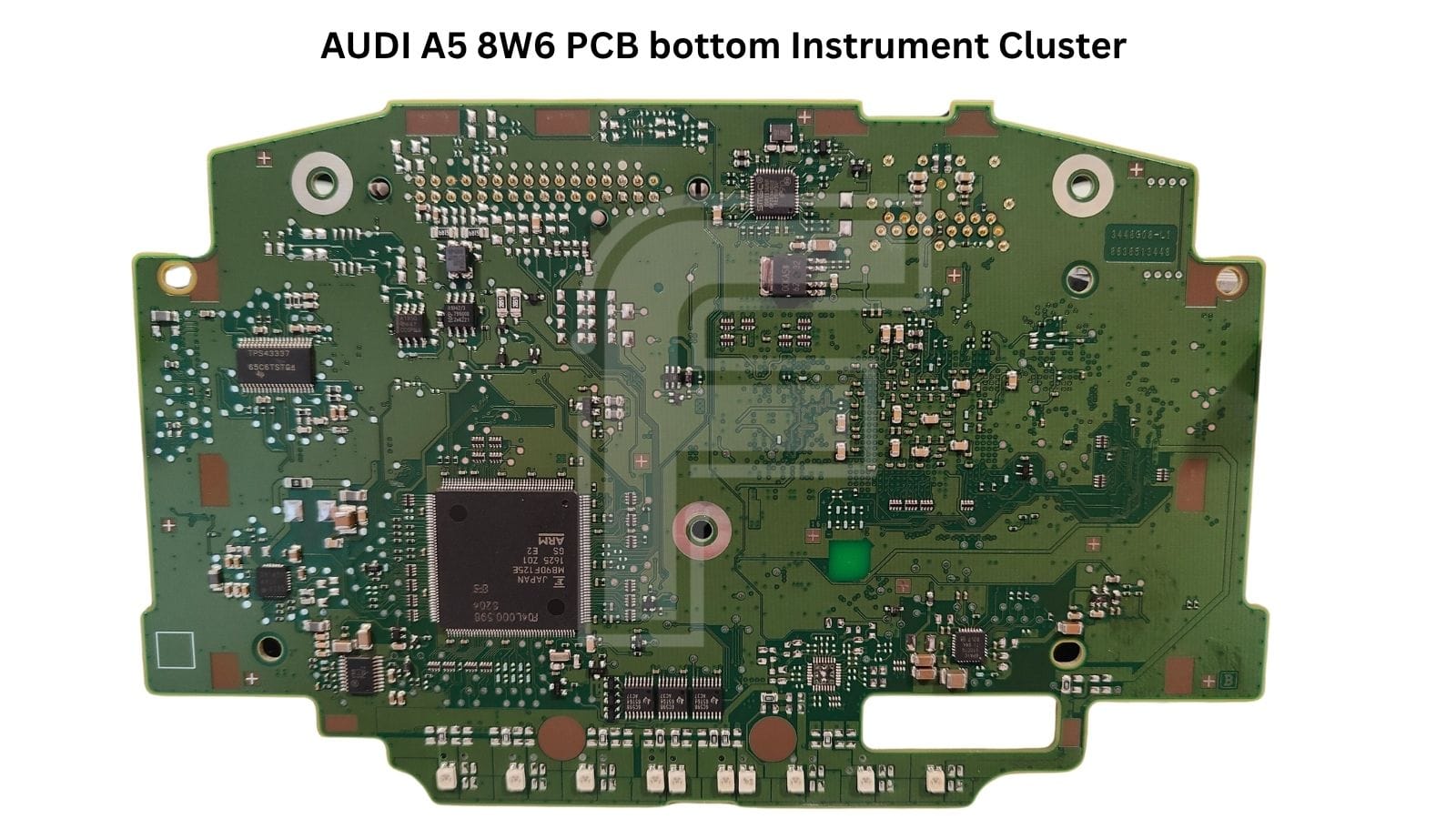
This is not a “microcontroller plus a small EEPROM” design. The board is split into two worlds. On the front side, an ARM graphics SoC drives the TFT, with its own DDR3 RAM and flash memory. On the back side, a separate Fujitsu MCU handles the gauges, telltales and vehicle communication. That’s closer to a small computer than a classic speedometer:
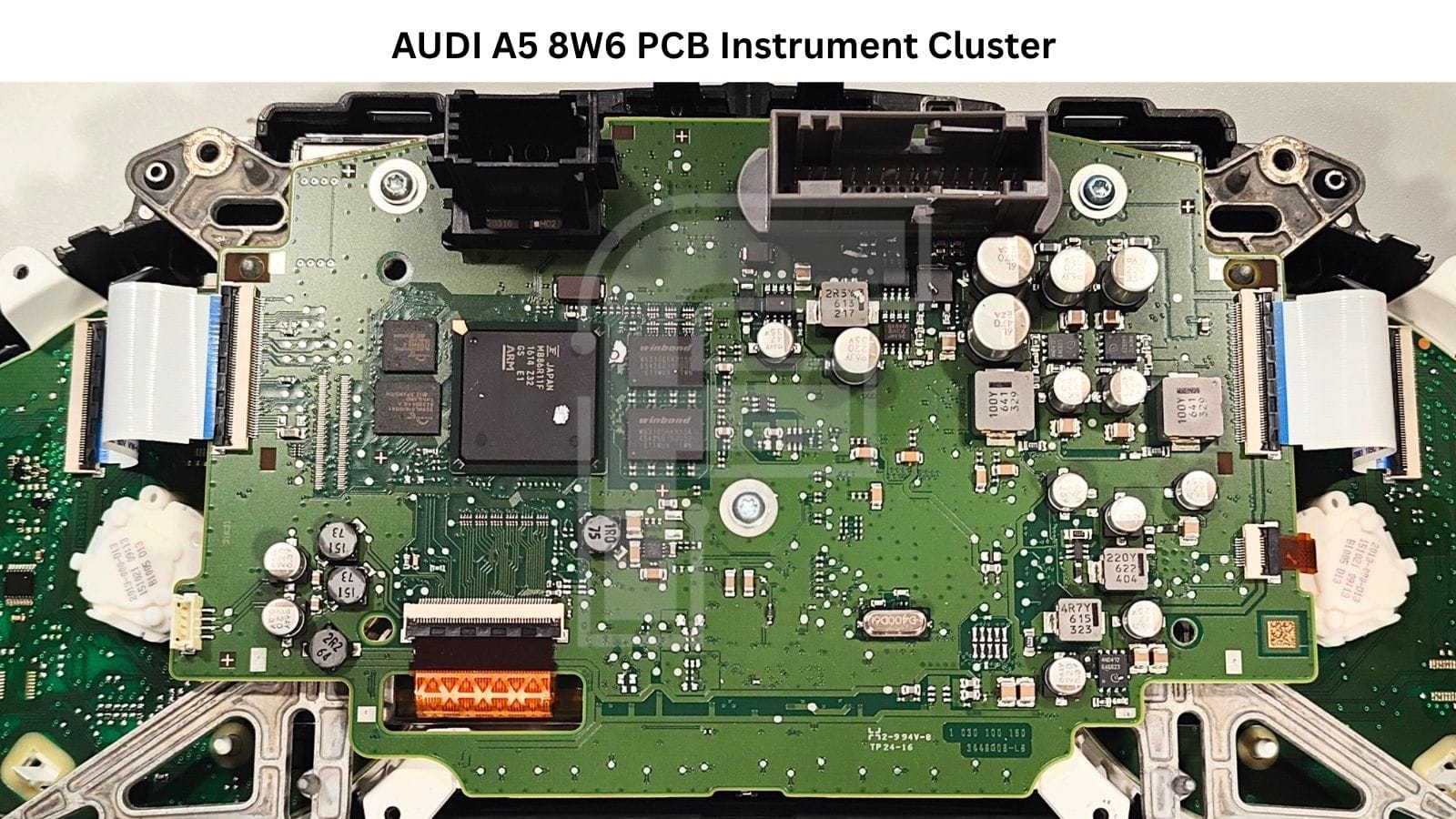
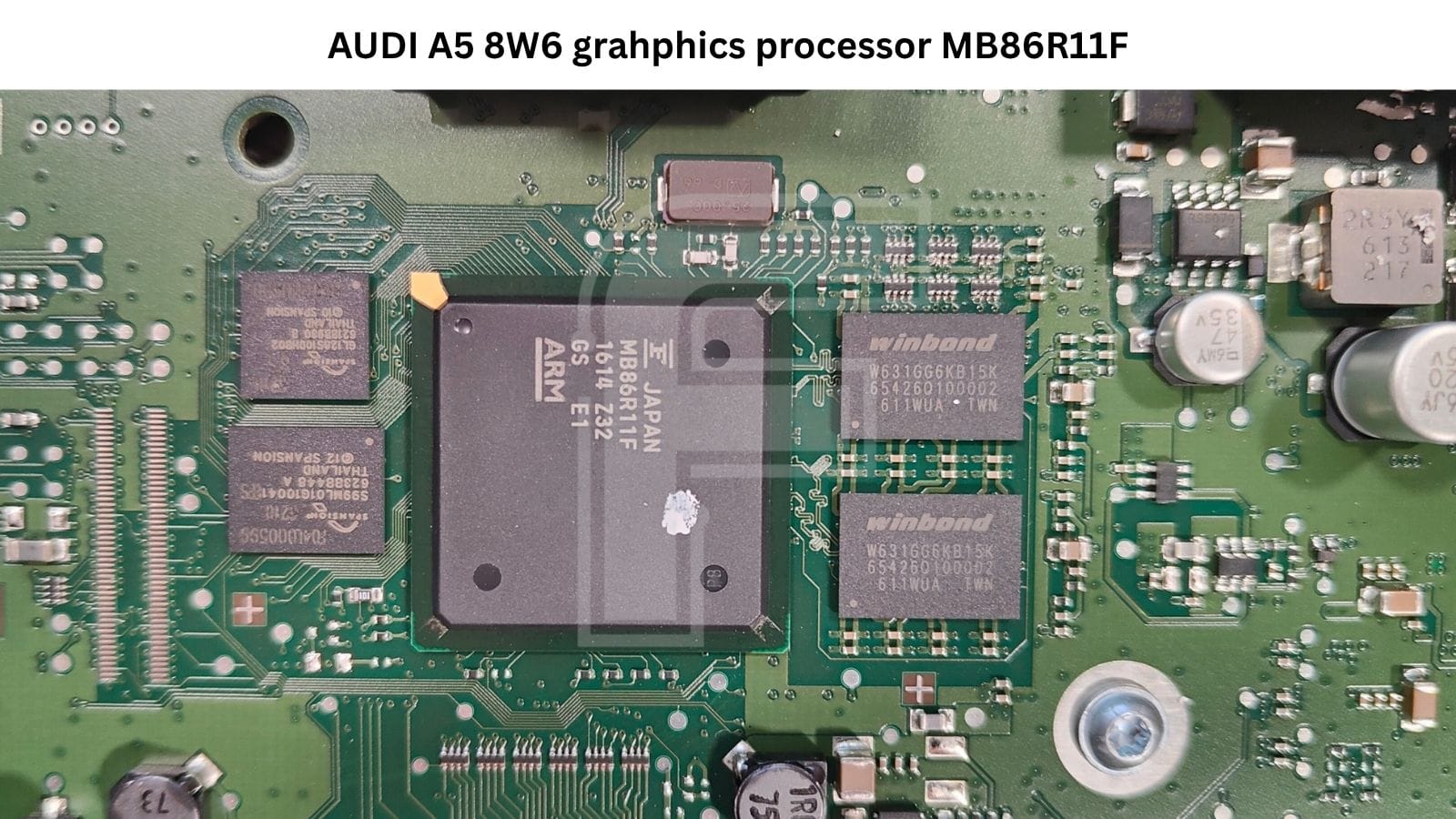
- Graphics processor: Fujitsu MB86R11F (ARM, BGA package) renders everything on the center display. It’s the chip behind most display complaints on this cluster (more on that below).
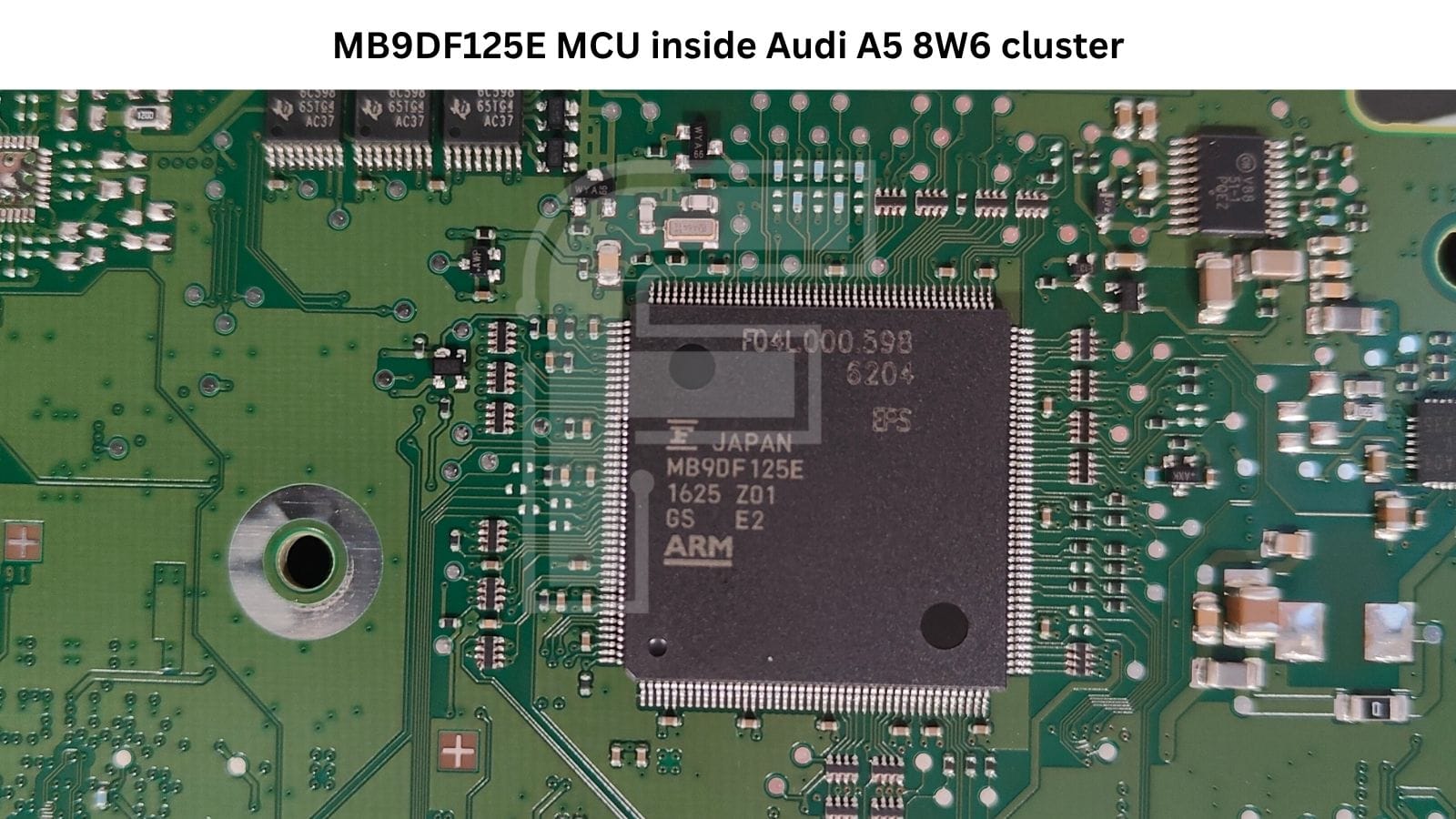
- Main microcontroller: Fujitsu MB9DF125E (ARM, Traveo family, LQFP, Bosch marking F04L000598) runs the needles, warning lights, and CAN communication with the car.
- SDRAM: 2× Winbond W631GG6KB-15K DDR3 working memory for the graphics processor.
- NAND flash: Spansion S99ML01G1 series stores graphics data and the display software.
- NOR flash: Spansion GL128S series boot code and firmware for the graphics side.
- Power supply controller: TI TPS43337 automotive multi-rail buck controller that feeds the whole board.
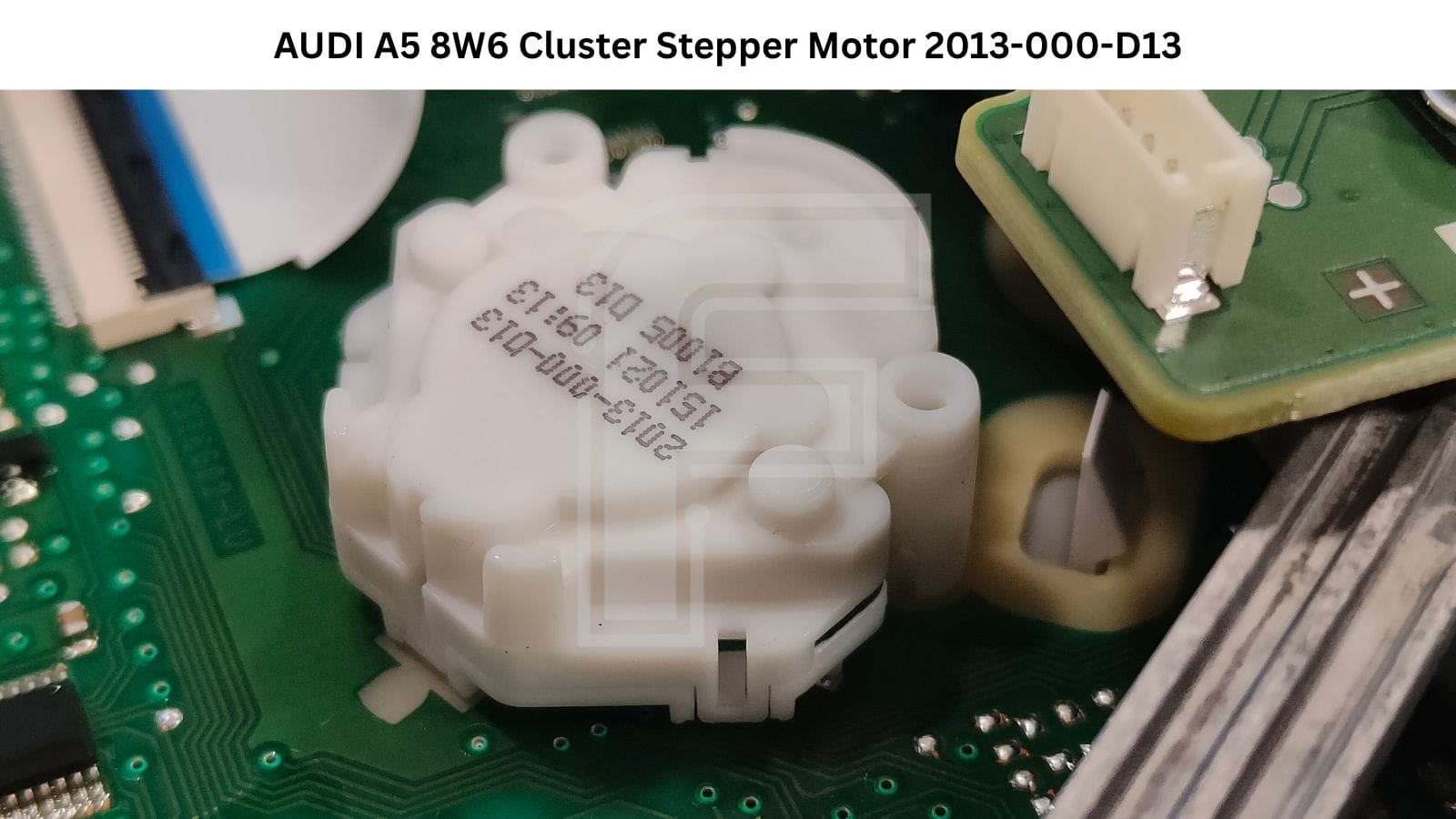
- Gauge stepper motors: two white motors marked 2013-000-D13 one for the tachometer, one for the speedometer.
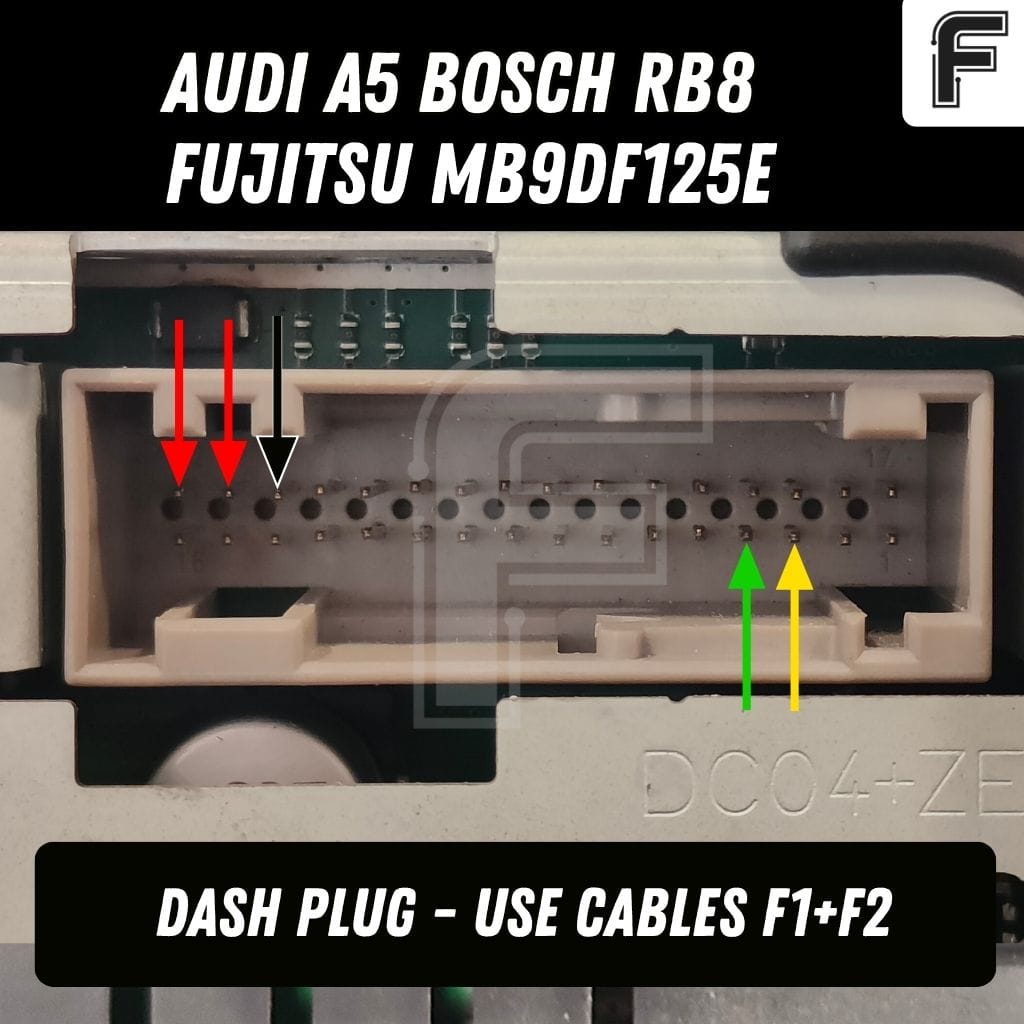
The 32-pin grey connector at the back is the only connection you need.
FORZA 614 works through it with no soldering and no opening of the housing.
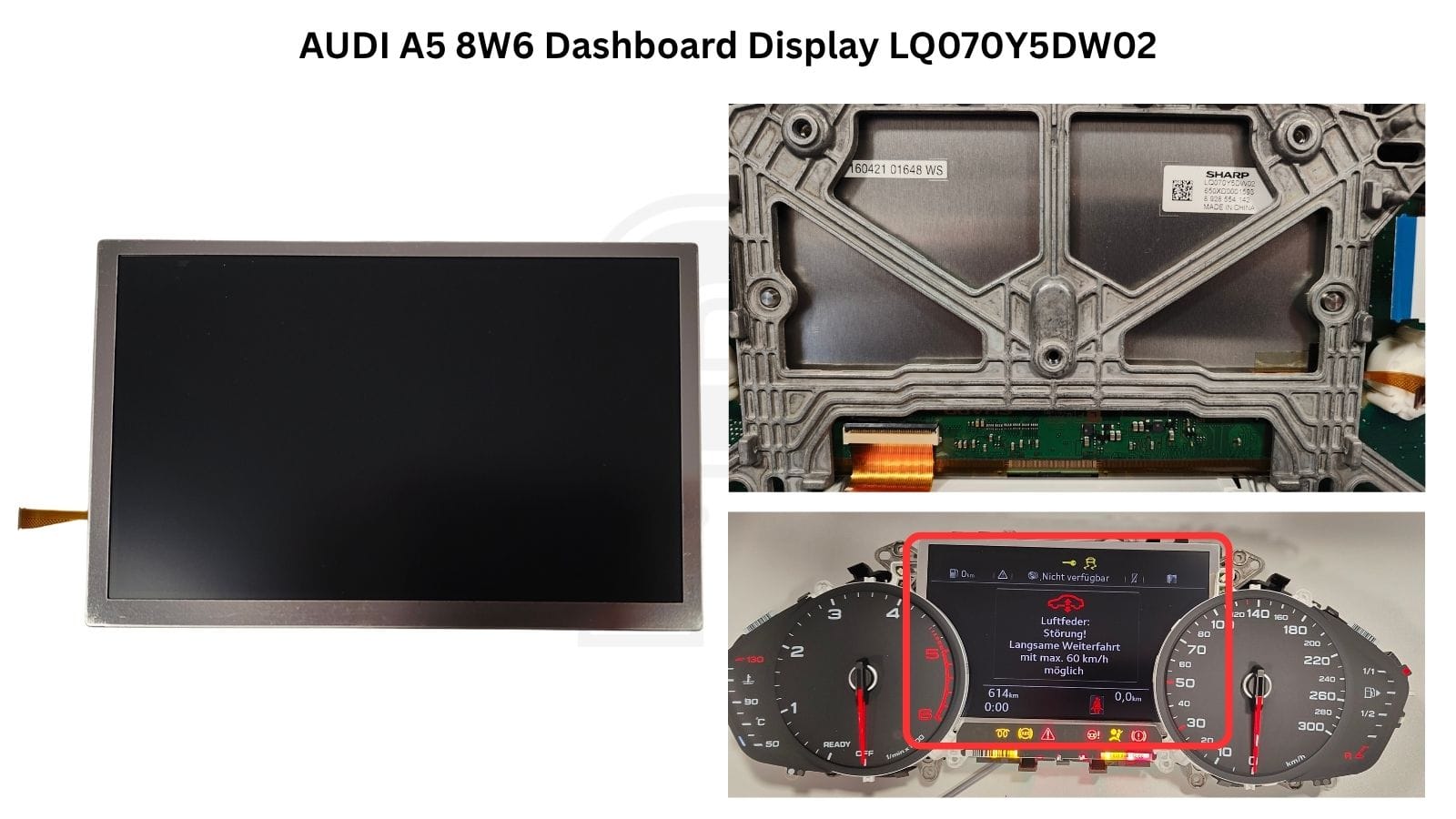
Sharp LQ070Y5DW02 Center Display
The center screen is a Sharp LQ070Y5DW02, a 7-inch colour TFT, carrying Bosch number 8 928 554 142. It sits in a die-cast metal frame and connects to the main board with a flex ribbon cable.
If you’ve had one of these on your bench with a blank or distorted screen, the panel itself is often blamed first. In practice, it frequently isn’t the panel at all, see the fault section below.
Typical faults on the Audi A5 Bosch instrument cluster
- Display problems - usually the BGA, not the screen. A black, flickering or garbled center display is the most common complaint. Before you order a new LQ070Y5DW02, check the soldering on the MB86R11F graphics processor. Cracked BGA joints under that chip cause many of the same symptoms as a dead panel, and replacing the screen won’t fix them.
- Cluster switching off completely. The second classic symptom is the cluster going dark entirely: needles, telltales and screen all at once. On this board, that also points to the main board itself, not to software or configuration.
- Bench warnings that aren’t faults. On the bench, the cluster will show messages for systems that aren’t there, such as the air suspension warning in our photos. That’s just the missing modules talking, not a defect in the cluster.
The cluster needs CAN-bus to start, and stays dark while you program it
This is one point where this Audi behaves differently from many other clusters in FORZA 614. Power alone won’t wake the Audi A5 Bosch cluster. It needs CAN-bus frames from the car (or a CAN simulator) before the display come to life.
For programming, that doesn’t matter. FORZA 614 programs the odometer with the cluster still asleep. No lit display, nothing on the screen while the job runs. If you’re used to seeing the mileage change live in front of you, don’t take the dark cluster as a sign that something has gone wrong.
FORZA 614 software programming options for the Audi A5 8W6 cluster
The connection goes through the dash plug, and the connection diagram is shown right in the FORZA 614 app. From there, the scope is deliberately focused:
- Odometer correction up or down - you can set the mileage to a higher or lower value. That’s what you need after a cluster swap, so a used cluster shows the car’s real mileage.
- Typical job time: a few minutes. Connect, enter the value, and wait for the process to finish.
What this version does not do: for this cluster, FORZA 614 does not read or write the data memory. There’s no full dump, no backup file and no 1:1 clone onto a donor. The function covers the odometer value only. We’re telling you upfront so you can plan the job: if you need the full data contents, this isn’t the tool for that part.
Audi A5 Dashboard Pinout
The 32-pin connector (pins 1–16 in the bottom row, 17-32 in the top row) is fully described in the app. The Audi A5 Bosch instrument cluster pinout, including power, ground and CAN lines, is in the FORZA 614 connection diagram for this cluster. You’ll find the pinout graphic for this model under this article.
Why the A5 instrument cluster is worth bringing in
Swapping a cluster in an A5 from this generation is a common job. A good used unit is easy to find, a new one from the dealer isn’t cheap, and the customer only needs one thing to be right: the mileage. A few minutes through the dash plug, no soldering, no disassembly - that’s an easy job to quote and an easy job to take in by mail. Add display and power faults fixed at board level, and the same cluster can bring you both programming and repair work.
One subscription, every update included
FORZA 614 runs on a single flat subscription. No tokens, no per-car fees, no separate licences for each cluster family. As new versions of this Bosch cluster are added, you get them with the update, at no additional cost. Lower cost upfront, and continuous development funded by the subscription itself.
FAQ
What processor does the Audi A4 / A5 Bosch two-needle cluster use?
The cluster uses two main chips: a Fujitsu MB9DF125E microcontroller for the gauges and CAN communication, and a Fujitsu MB86R11F graphics processor for the 7-inch display.
Can FORZA 614 read the EEPROM / full data from this cluster?
No. For the Audi A5 Bosch cluster 8W6, FORZA 614 supports odometer correction only, up or down. Reading and writing of the full data is not supported.
Why does the cluster stay dark during programming?
This cluster needs CAN-bus frames from the vehicle to start up. FORZA 614 programs the odometer without starting it, so the display and needles stay off during the procedure. That’s normal.
How long does odometer programming take?
Usually a few minutes.
Is the display fault always a bad screen?
No. Many display faults on this cluster come from cracked BGA solder joints under the MB86R11F graphics processor, not from the Sharp LQ070Y5DW02 panel itself.


